Who can do this
A finance-authorised user after finance setup is accepted.
Steps
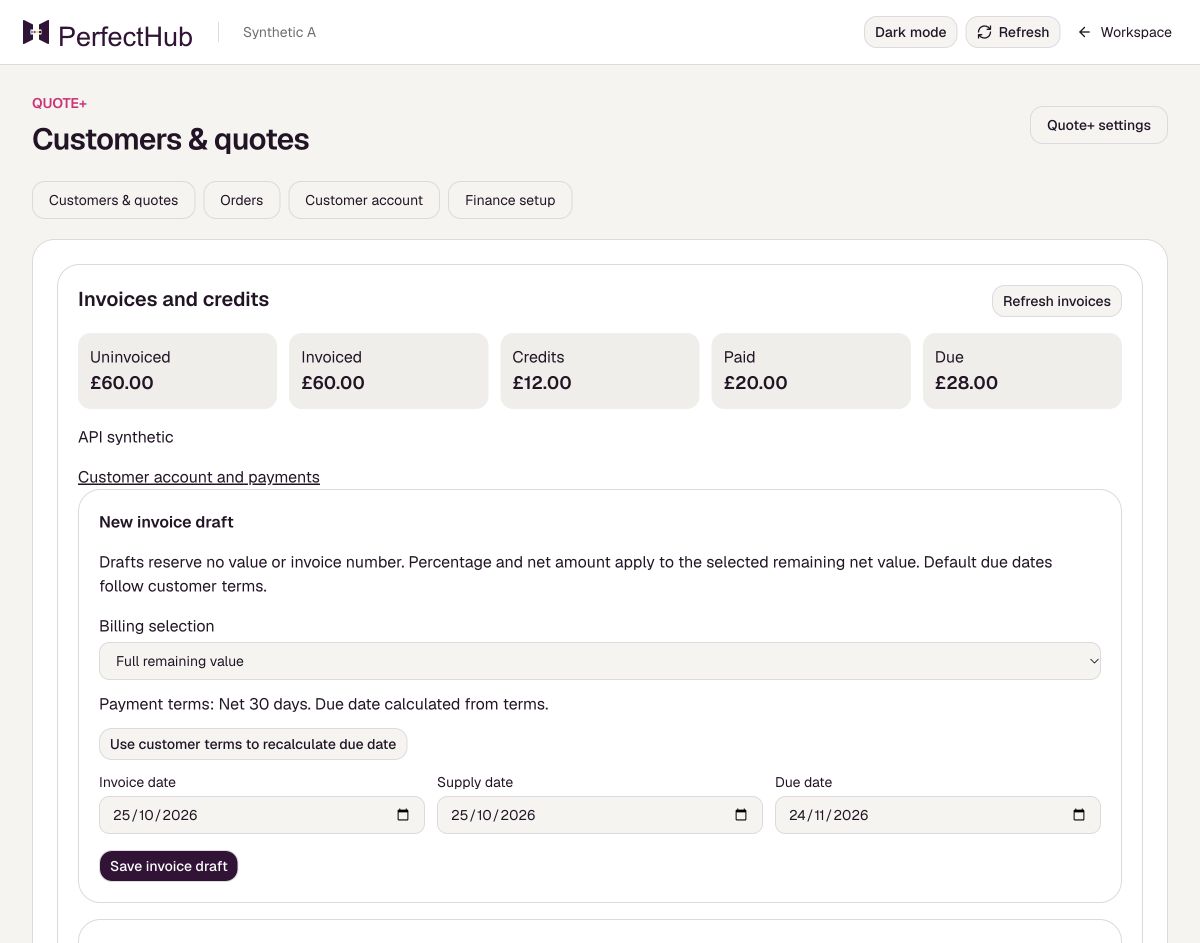
- Open Orders and choose Manage invoices and credits on the order.
- Choose New invoice draft.
- Under Billing selection, choose Full remaining value, Percentage of remaining net, Specified net amount or Selected line net amounts.
- Check the draft, choose Save invoice draft, then Issue invoice only when ready.
What to expect
A saved draft has no invoice number; an issued invoice is numbered.
Before you rely on it
A deposit uses the amount or percentage option. Invoice issue requires accepted seller, numbering and tax setup. Check amounts and tax with your finance team.